
If you searched for ParkMyCloud and ended up here, you already know the story. Turbonomic bought it in 2019. IBM bought Turbonomic in 2021. The simple “park your instances at night” tool got absorbed into an enterprise platform, and the teams who used it for its simplicity were left choosing between something heavy and something hand-rolled.
CloudAvocado was built for exactly that gap. It turns non-production resources off outside working hours and back on before the team arrives. Setup takes about five minutes. And unlike ParkMyCloud, it doesn’t stop at EC2.
Why scheduling is still the first thing to do
The math is simple. A dev environment used weekdays 8 to 7 is idle 13 hours a night plus the whole weekend. That’s 118 of 168 hours each week – about 70% unused.
Savings Plans make those hours cheaper. Scheduling removes them. Nothing to re-architect, and ROI is shown right away.
A quick example
34 on-demand instances at $0.20/hour, scheduled to business hours only:
| Pattern | Hours / month | Cost / month | Savings |
| 24×7 | ~730 | $4,960 | – |
| Weekdays only (24h) | ~521 | $3,540 | 29% |
| Business hours (55h/week) | ~239 | $1,620 | ~67% |
Roughly $3,300 a month, or $40K a year, from one schedule. And that’s the EC2 line only. In most accounts I see, the RDS instances, ECS services and EKS node groups running next to those instances cost more than the instances do.
What ParkMyCloud got right, and what it missed
ParkMyCloud proved that a scheduler most people can operate beats a FinOps suite most people can’t. That part still holds.
What it missed is how non-prod environments are built now. A few things a replacement has to do:
Cover containers and databases. Stopping the EC2 nodes under an EKS node group saves nothing if the autoscaler brings them back. CloudAvocado scales ECS services and EKS node groups to zero outside the schedule and restores the desired count before work starts. RDS, Auto Scaling groups, SageMaker notebooks and MongoDB Atlas clusters get the same treatment. This is the biggest difference between CloudAvocado and the EC2-only tools still around, including ParkMyCloud itself.
See every account in one place. Most orgs run dozens of AWS accounts. You should see utilization and savings for all of them on one screen, without standing up a governance platform to get there.
Leave production alone by default. The reason teams hesitate to automate shutdowns is the fear of breaking something real. Only tagged or selected resources are scheduled. Everything else is untouched.
Install nothing. Access is a cross-account IAM role with least-privilege permissions. No agents, no stored keys.
CloudAvocado vs ParkMyCloud vs AWS Instance Scheduler vs DIY
| ParkMyCloud (legacy) | AWS Instance Scheduler | Lambda + EventBridge scripts | CloudAvocado | |
| Status | Absorbed into IBM Turbonomic | Active, self-hosted CloudFormation solution | You own it | Active, self-serve SaaS |
| Setup | Minutes | CloudFormation stack + DynamoDB config + CLI | Hours to days, per account | ~5 minutes per account |
| EC2, RDS | Yes | Yes | If you write it | Yes |
| ECS / EKS scale-to-zero | No | No | If you write it | Yes |
| SageMaker, ASGs, MongoDB Atlas | No | Limited | If you write it | Yes |
| Tag-based schedules | Partial | Yes, via tag syntax | If you write it | Yes, with per-resource overrides |
| Multi-account dashboard | Yes | No UI | No | Yes |
| Savings reporting | Yes | No | No | Yes |
| Who can run it | Admins | Whoever maintains the stack | Whoever wrote the script | Anyone with dashboard access |
| Cost | Per resource, contract | Free software + Lambda/DynamoDB + your time | Free software + your time | Free trial, then usage-based |
The AWS Instance Scheduler is a great tool. If you have one account, only EC2 and RDS, and someone who enjoys maintaining CloudFormation, use it. Once you have containers, several accounts, or people outside the platform team who need to change a schedule, “free” stops being free.
Your first schedule in five minutes
- Connect an AWS account. Deploy the IAM role. CloudAvocado discovers EC2, RDS, ECS, EKS, SageMaker and Auto Scaling resources across regions.
- Set working hours. For example weekdays 08:00–19:00 in your team’s time zone.
- Attach it to a tag. env=dev, env=test, env=staging – or pick resources one by one.
- Review and apply. The dashboard shows what will stop, when, and the projected saving.
Most teams see the first savings in Cost Explorer the next day.
Moving from ParkMyCloud
The mapping is simple. ParkMyCloud teams become tags. Parking schedules become CloudAvocado schedules with the same windows. Auto-assignment policies are just how tags work here. The one new thing you’ll do is add the RDS, ECS and EKS resources ParkMyCloud couldn’t see.
Gotchas (and how CloudAvocado handles them)
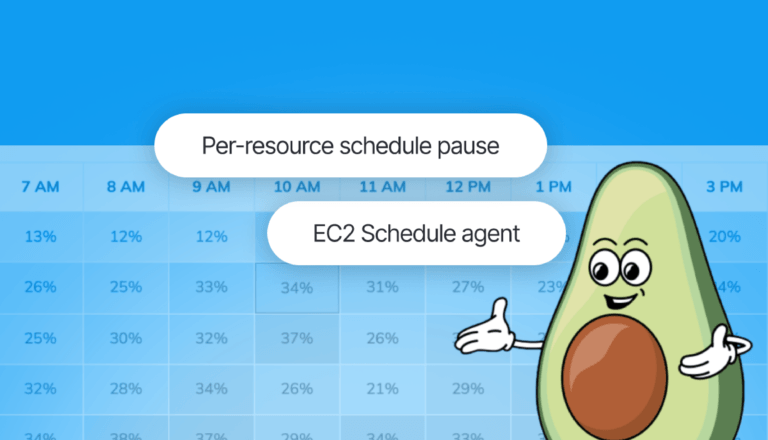
- Instances that need to shut down cleanly. Some workloads shouldn’t be killed mid-job. The EC2 schedule agent runs pre-shutdown actions before stopping an instance.
- Someone needs the environment tonight. Pause the schedule for that resource. It rejoins the schedule automatically afterwards.
- Untagged resources. Autotagging applies your schedule tags to new resources so coverage doesn’t drift.
- Elastic IPs and stopped-instance storage. Stopping doesn’t zero the bill – EBS volumes and unattached EIPs still charge. Worth a separate clean-up, but small next to compute.
FAQ
- Is CloudAvocado affiliated with ParkMyCloud or IBM? No. It’s an independent product built for the same job after ParkMyCloud was folded into Turbonomic.
- Does it need an agent on my instances? No. A cross-account IAM role and native AWS APIs. The optional EC2 agent is only for pre-shutdown actions.
- Can it stop EKS and ECS, not just EC2? Yes. ECS services and EKS node groups scale to zero outside the schedule and back before working hours.
- Will it touch production? Only resources you tag or select are scheduled. Production stays out by default.
- How long until I see savings? About five minutes to set up. Savings show on the next day’s bill. Typical non-prod savings are 30–60%, up to ~70% for strictly business-hours environments.
- Need a simple AWS cost optimization solution?
- ParkMyCloud showed that a light scheduler is worth to use to a teams with and without a heavy FinOps suite. CloudAvocado picks that up and extends it to the containers, databases that make up today’s non-prod bill.