
Trusted by teams worldwide





Schedules need constant updates. Every change turns into a ticket.
Dev and test environments never run on a fixed schedule. Demos, hotfixes, and exceptions mean constant tweaks. Scripts break, manual fixes pile up, and when leadership asks about cloud spend, you’re pulling screenshots just to answer one question. You’re the bottleneck, and it never stops.
CloudAvocado fixes the workflow. Teams handle their own schedule changes without touching scripts or waiting for you.
Everything DevOps needs to stay in control
Apply consistent rules across different accounts and regions, while giving teams flexibility where it matters.
Scheduling by working hours
Tag-based scheduling
Team-level flexibility
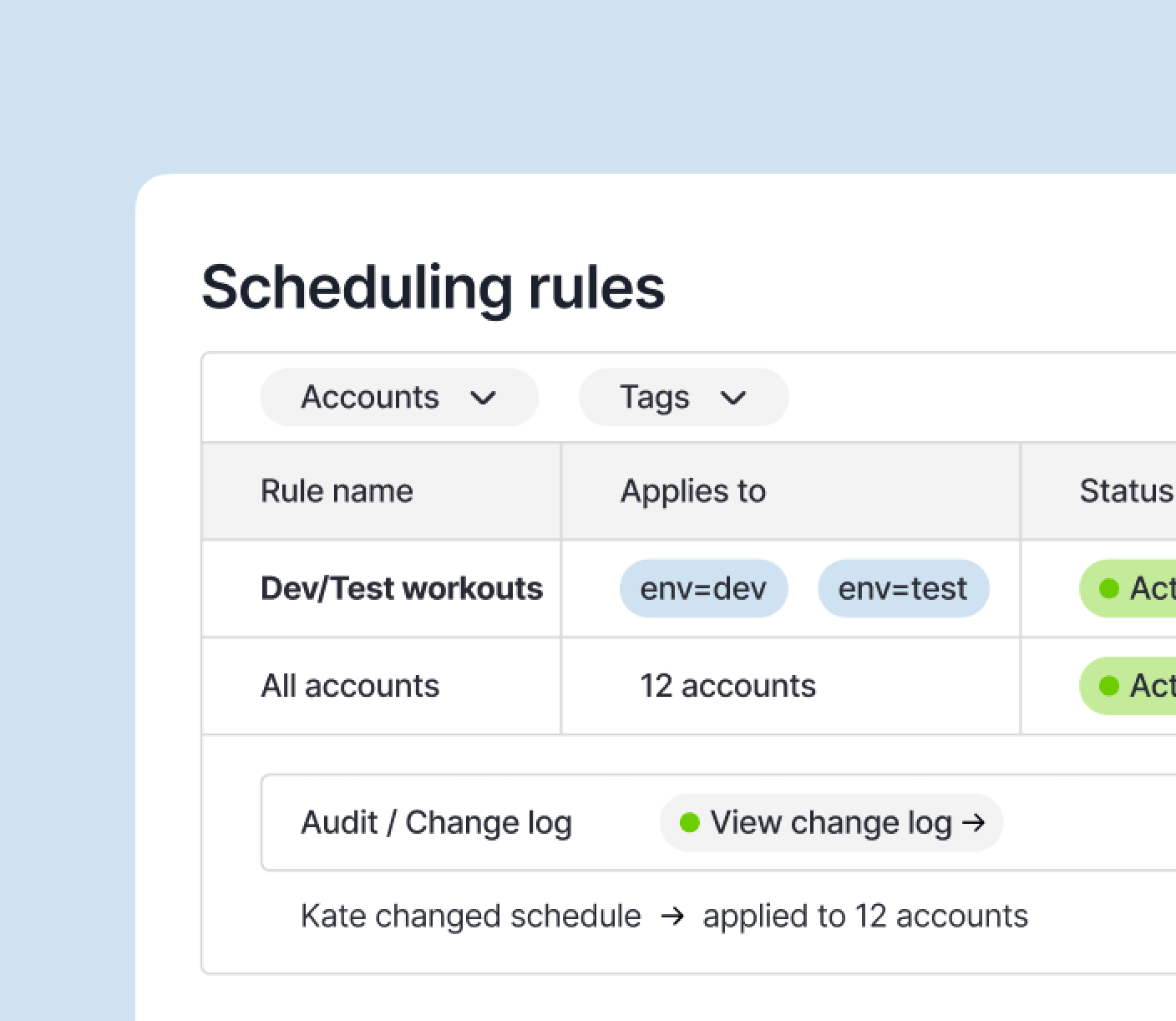
All accounts, one place
Visibility and savings tracking
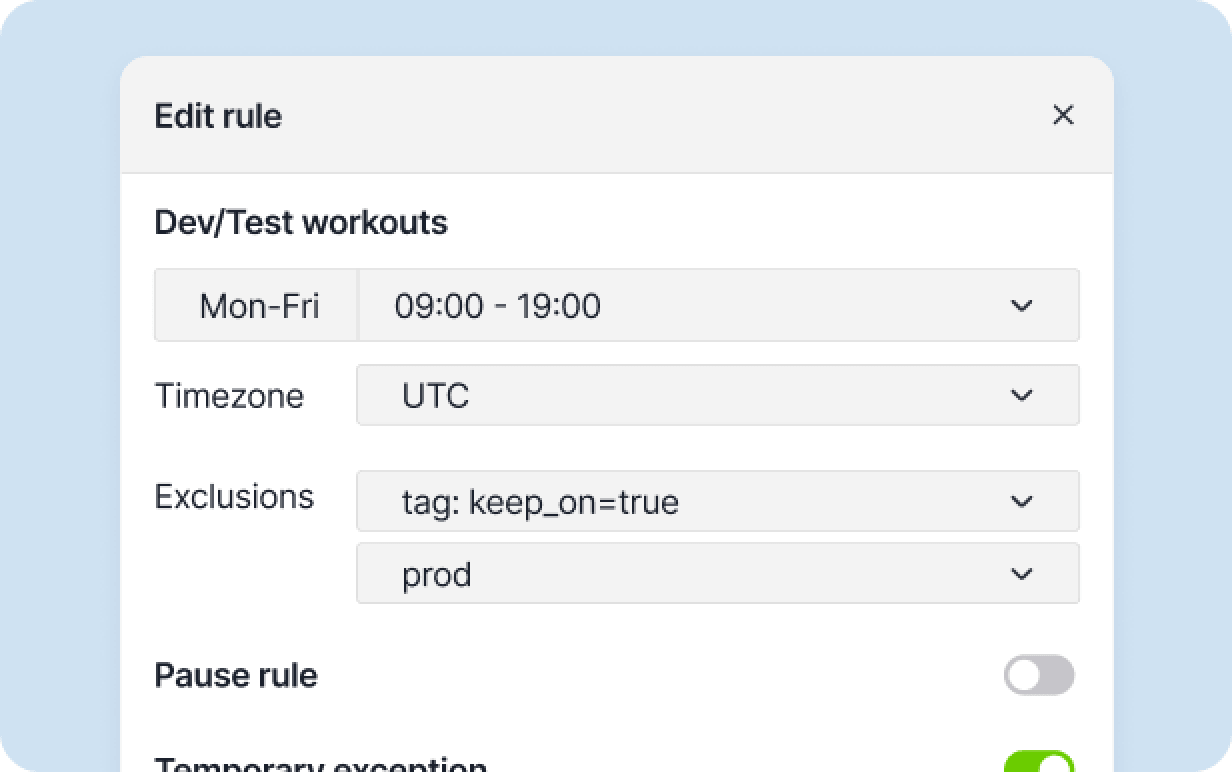
Set working hours once. Dev/test resources stop outside those hours and start again before the day begins. Replace scheduled tasks and scattered scripts.
Assign a schedule tag and CloudAvocado applies the right rule automatically. One rule can cover hundreds of resources.
Teams can manage their own exceptions (pause, extend, or update) without pinging you for every change, and without needing broad console permissions.
Manage all AWS accounts from one place. Slice by account, team, environment, or tag.
See what ran on schedule, what was skipped, and where idle time was removed. Track optimization progress and share it with stakeholders.
What our clients say
Key Benefits:
Thousands of $ saved monthly
<5 min setup per tenant
Zero training required
Automated scheduling
CloudAvocado saves us thousands of dollars every month and only costs a fraction of that amount. Anyone who runs AWS EC2 instances will be able to find a use for CloudAvocado — even those with little time to spare.

Paul V.
Small Business

Key Benefits:
Simple setup process
Multi-account management
Extensive automation options
Clear cost insights dashboard
We have decent dev and stage environments in different AWS accounts, which can be stopped for a non working hours. CloudAvocado helped us stop MongoDB Atlas. How it shows data and dashboard – just great, it helps us focus on things where we can save the most, from a cost perspective.
Mike F.
CEO of Insoftex
Key Benefits:
Automated RDS scheduling
Zero performance impact
Clear cost visibility
User-friendly dashboards
CloudAvocado Cost Optimization has been a real lifesaver when it comes to handling our cloud expenses. The RDS scheduling feature is a gem – it automates the start and stop of our DB instances based on our actual needs, saving us money without sacrificing performance.
Anna T.
Data Scientist
Key Benefits:
Instant savings
24/7 idle resources eliminated
Tag-based automation
Improved cost visibility
It was very easy to save a lot from the very beginning. We used CloudAvocado to calculate and reduce budget waste caused by idle resources and non-production instances that were turned on 24/7.
Volodymyr S.
Senior Software Engineer
Why CloudAvocado?
Script maintenance is gone
Rules replace scripts. When something changes, you update one rule, not three different scripts across four accounts.
Teams stay unblocked
When engineers need to pause a schedule, they do it themselves. You stop being the bottleneck for every small request.
Costs stay under control as you scale
New accounts, new teams, new environments. The same rules apply automatically. You don’t start from scratch every time.