AWS has no managed scheduler for non-production resources. What it offers is Instance Scheduler, a CloudFormation stack you deploy and maintain, and a Quick Setup wizard that covers EC2 and nothing else. Both are fine for a small, single-account estate of EC2 and RDS.
They stop at containers, SageMaker, overrides, a UI, and anything that needs ordering. Every limit in this post links to AWS’s own documentation or an open issue on AWS’s own GitHub repository.
CloudAvocado covers EC2, RDS, Auto Scaling, ECS, EKS, DocumentDB, SageMaker and MongoDB Atlas on one schedule, with snooze, an audit log and dashboards across accounts, and nothing to deploy. This post lays out where the native tools are enough and where they are not.
What AWS gives you natively
AWS has no managed scheduling service. It has a solution you deploy, a Quick Setup wizard, and the building blocks to write your own. Ask on re:Post how to shut an EC2 instance down every night and the accepted answer lists exactly those three routes.
| Option | Services | How you configure it | Cost | Maintained by |
|---|---|---|---|---|
| Instance Scheduler on AWS | EC2, Auto Scaling groups, RDS, Aurora, DocumentDB, Neptune (supported services) | CloudFormation hub and spoke stacks, then a Python scheduler CLI writing to a DynamoDB table (CLI docs) | AWS estimates $9.15 to $630 per month for the Lambda, DynamoDB, CloudWatch and KMS it runs on (cost page) | You. It is an open-source solution you deploy and upgrade |
| SSM Quick Setup Resource Scheduler | EC2 only (docs) | Console wizard: one tag key and value, days of the week, start and stop times | No charge for Quick Setup itself | AWS runs it; you own the tags |
| EventBridge + Lambda (DIY) | Anything with an API | Cron rules, a function per service, IAM roles per account | Cents in Lambda, plus engineering hours | You |
| Per-service scheduled scaling | ECS services, EKS node groups | Scaling actions you wire yourself; for EKS, AWS’s own cost guide points to sample Kubernetes CronJobs (Prescriptive Guidance) | No charge, except the time | You, one mechanism per service |
None of this is bad. Instance Scheduler is solid engineering and AWS keeps it patched. The question is what it does not do, because that list is where your hours go.
Where it stops
Every item below is either in the AWS documentation or an open issue on the Instance Scheduler GitHub repository as of this writing.
- Containers. ECS and EKS are not on the supported list. ECS Fargate scheduling was requested in November 2024 (#582) and again in August 2026 (#702); the reply was “We’ve added it to our backlog.” For EKS, AWS’s cost guide tells you to scale dev and staging to zero with sample CronJobs. That is advice, not a scheduler.
- SageMaker. Not supported. A request for SageMaker endpoint support, #601, has been open since March 2025.
- No override or snooze. Three open requests ask for a way to say “leave this one alone until Thursday”: an instance override (#598), an exclusion tag (#641, “added to our backlog for evaluation”) and an official ignore option (#685). Quick Setup is event-driven: it starts whatever is stopped at the start time, so an instance someone stopped on purpose comes back in the morning and nobody knows who stopped it or why.
- No UI. The scheduler CLI page is the configuration surface: create, update and delete periods and schedules from a terminal. One caveat there is worth reading twice: update-schedule and update-period remove any argument you omit. Expanded dashboards are an open request (#651).
- No ordering. Periods are defined by begin time, end time, weekdays and months (CLI docs). There is no flag for “start the database, then the app servers.” You stagger times by hand. Also, only one one-sided start per day is supported, so an every-four-hours schedule silently did nothing (#542).
- Quick Setup is one tag. Each configuration targets a single tag key and value, EC2 only, up to 5,000 instances per configuration per Region (docs). Two teams with two timetables means two configurations.
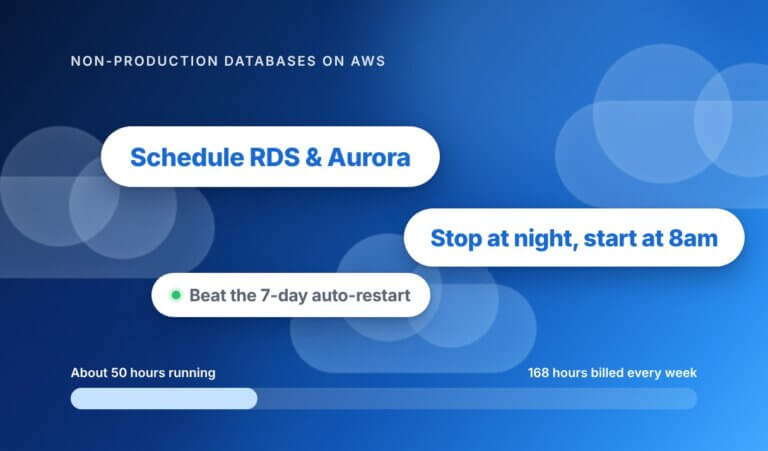
- RDS restarts itself after seven days. You can stop a DB instance for up to seven days, then RDS starts it for maintenance. The re:Post workaround is to schedule a one-hour start every week so AWS never does it for you. A scheduler that does not know this leaves you paying for a database nobody started.
- Restarts can fail on capacity. In January 2026 AWS added an opt-in retry on alternate instance types. That AWS shipped it tells you how often a morning start used to fail on capacity.
- Detection is not action. Compute Optimizer flags idle resources across twelve types, but the recommended actions are manual. The AWS FinOps Agent, in preview since June 2026, runs on a role for reading cost, usage and operational data; it opens tickets, it does not stop instances. Something still has to turn the thing off.
What “free” costs
Instance Scheduler has no license fee. It does have a bill. AWS’s own cost page estimates about $9.15 a month for a small deployment (5 accounts, 20 resources, 3 schedules), about $161 for a medium one (250 accounts, 1,000 resources, 15 schedules) and about $630 for a large one (1,000 accounts, 5,000 resources, 500 schedules). The components are Lambda, DynamoDB, CloudWatch Logs, CloudWatch Metrics and KMS, running every five minutes.
Then there is upkeep. Between April and October 2026 the project shipped a dozen releases, v3.2.2 through v3.2.13, all dependency, security and bug fixes (changelog). Each is a stack update someone schedules, runs and checks. Add onboarding a new account, debugging a schedule that did not fire, and answering “why is staging up on a Sunday” in Slack.
The clearest sign of what the hours are worth: consulting firms sell Instance Scheduler setup as a professional service on AWS Marketplace, with pricing by private offer. When a free tool has a paid installation market, the tool was never the cost.
Why scheduling first
A week has 168 hours. A team that works roughly ten hours a day on weekdays uses about 50 of them. A non-production resource that nobody turns off is billed for all 168. Rightsizing changes the price per hour; scheduling changes the number of hours, and it is reversible the next morning.
One worked example with on-demand numbers you can swap for your own: 10 instances at $0.20 per hour, which is 10 x $0.20 = $2.00 per hour for the group.
| Hours on per week | Cost per week | Cost per year (x52) | |
|---|---|---|---|
| Always on | 168 | 168 x $2.00 = $336 | $17,472 |
| Business hours | 50 | 50 x $2.00 = $100 | $5,200 |
| Difference | 118 | $236 | $12,272 |
Ten small instances, one schedule, about $12,000 a year. A database, an EKS node group or a SageMaker notebook costs more per hour than $0.20, which is why the services a scheduler covers matter more than its price. The same arithmetic, with a larger fleet, is in the ParkMyCloud comparison.
AWS Instance Scheduler alternative: CloudAvocado vs native vs DIY
| CloudAvocado | Instance Scheduler on AWS | EventBridge + Lambda | |
|---|---|---|---|
| Status | SaaS, 14-day free trial, listed on AWS Marketplace | Open-source solution you deploy, v3.2.13 (October 2026) | Your code |
| Setup | One IAM role created from a shown permissions list, no agents; free read-only scan first | CloudFormation hub stack, a spoke stack per account, scheduler CLI | Functions, roles and cron rules per account |
| EC2 and RDS | Yes; RDS from the Advanced plan | Yes, plus Aurora, DocumentDB, Neptune | If you write it |
| ECS and EKS | Yes: ECS services, EKS node groups to zero and back (Pro) | No (#702 open) | If you write it, per service |
| SageMaker, ASG, Atlas | SageMaker notebooks, Auto Scaling groups, DocumentDB, MongoDB Atlas, plus Google Cloud and Azure (Pro) | ASG and DocumentDB yes; SageMaker no (#601); AWS only | AWS only, if you write it |
| Tag schedules | By tag or individually; autotagging applies schedule tags to new resources | By tag | By tag, if you write it |
| Snooze | On a schedule or a single resource; it rejoins the schedule afterwards | Not built in (#641, #685, #598) | If you write it |
| Multi-account dashboard | Across accounts, tags and regions | No console; dashboards requested in #651 | CloudWatch, if you build it |
| Savings reporting | Weekly savings digest by email, dashboards | A CLI usage estimate per schedule | None unless built |
| Audit log | Every action | CloudWatch Logs | CloudWatch Logs |
| Ordering | Coming (Environments) | No | If you write it |
| Who can run it | Anyone with a seat; SSO on Pro | Whoever has the CLI and AWS credentials | The engineer who wrote it |
| Cost | Free for 10 resources; $49/month for 25; $299/month for 100; $3/month per extra resource | About $9.15 to $630/month in AWS charges, plus upkeep hours | Cents in Lambda, plus engineering hours |
Two rows deserve a note. Snooze is the one I hear about most: someone needs staging up late for a demo, or down for a week, and wants the schedule to pick back up on its own. In CloudAvocado that is one click on the resource or the schedule, and the audit log records it. Ordering is the one we have not shipped. Environments, which start and stop a group of resources in sequence, is in development, and I will not call it available until it is.
When to use the native tool
The native tools are the right choice when most of this is true:
- One account, or a handful, all EC2 and RDS.
- One schedule, or two, that rarely change.
- The only people who need to change a schedule already have AWS credentials and a terminal.
- Nobody needs to pause a resource for a day and have it rejoin the schedule automatically.
- Policy says every tool must run inside your own account, so a SaaS with an IAM role is off the table.
- The Quick Setup wizard covers your estate: EC2, one tag, one timetable.
If you ticked most of those, deploy Instance Scheduler or Quick Setup this week and move on. If you ticked two or fewer, the difference is time: with CloudAvocado there is no CloudFormation stack to deploy per account, no scheduler CLI to learn, no release to roll out every few weeks, and no Lambda to debug when a start fails. Connect an account, set working hours, pick resources by tag, and the first schedule runs that night. The hours your engineer would spend maintaining a scheduler go back to the work you hired them for.
Your first schedule in five minutes
- Connect an account. Create one IAM role from the permissions list CloudAvocado shows you. No agent. The first connection is read-only, so nothing is stopped until you say so.
- Read the scan. It lists your EC2, RDS, ECS, EKS, Auto Scaling groups, DocumentDB and SageMaker notebooks across accounts, tags and regions, with what is running 168 hours a week.
- Pick the resources and the hours. Select by tag, say Environment=dev, or tick resources one by one. Set weekday hours in your time zone, give staging a different timetable from dev if you like, and exclude anything you are unsure about. The EC2 scheduling walkthrough shows each screen.
- Switch on autotagging and the digest. New resources matching your tag get the schedule tag automatically, so next month’s dev box does not run all weekend. The weekly email tells you what was stopped and for how long. When someone needs an exception, they snooze it and the schedule resumes on its own.
FAQ
Is CloudAvocado an AWS Instance Scheduler replacement?
For EC2, Auto Scaling groups, RDS and DocumentDB, yes, with the same tag-based approach and no stack to maintain. It also covers ECS, EKS node groups, SageMaker notebooks, MongoDB Atlas, Google Cloud and Azure, which Instance Scheduler does not. It does not cover Neptune today.
Does it need an agent?
No. CloudAvocado connects through an IAM role you create from a permissions list we show you. The only optional agent is a small EC2 schedule agent for teams that want a pre-shutdown action to run on the instance. Scheduling itself never needs it.
Will it touch production?
Only resources you put on a schedule are ever stopped. The first scan is read-only, you choose resources by tag or by hand, any resource can be excluded, and every start and stop goes to the audit log. If a production instance carries a dev tag by mistake, the scan is where you see it before any schedule runs.
What about the RDS seven-day restart?
AWS starts a stopped RDS instance after seven days for maintenance (re:Post). A database on a weekday schedule is started every working morning, so it is never stopped seven days in a row and the restart never fires. If you snooze a database off for longer than a week, RDS will start it whatever tool you use; give anything you want down for weeks a one-hour weekly start. Storage bills while stopped either way; that is RDS, not the scheduler. For the full picture, see how to schedule RDS instances.
Can I keep Instance Scheduler for some accounts?
Yes. Connect only the accounts with ECS, EKS or many hands on them, and leave a working Instance Scheduler stack alone elsewhere. Just keep each resource on one scheduler, not two, so start and stop events do not fight.
Connect an account and run the free read-only scan. It takes five minutes and shows you what is running 168 hours a week before you schedule anything.